BACK
63 Million Indians Can't Answer A Phone Callck
Designing accessible phone calls for deaf and hard-of-hearing users
Accessibility
UX Research
Interaction Design
What I Did
01.
Secondary research across 7 case study videos, 5 research papers, and WHO's 272-page World Hearing Report
02.
Problem prioritisation using frequency × pain mapping across 37 identified tasks
03.
Technical proof of concept using ElevenLabs, Twilio, Google Cloud Speech API
04.
High-fidelity design on Material Design 3 Expressive with 9 accessibility-driven decisions
05.
Usability testing across 8 participants and NASA Task Load Index assessment
Overview
The phone rings. You don't know who it is. You can't pick up and figure it out because there's no voice you can hear on the other end. So you watch it ring. You decline it. You wonder if it was the delivery agent, your doctor's clinic, your HR team.
This isn't a niche edge case. This is every week, for 63 million deaf people in India. The phone call, which is one of the most basic units of human communication, is functionally inaccessible to them.
Therefore, I designed an assistive calling system that intercepts, transcribes, and mediates phone calls for deaf users so they can participate in a normal call without any caller needing to know they are deaf.
Outcome
37
Tasks mapped across frequency and pain to isolate the problem worth solving
9
Design decisions each directly traceable to a specific research finding
6
Use cases defined and solved completely before any screen was designed
28.85
NASA-TLX score vs 16.46 for normal calling
01.
Finding the right problem to solve
The approach
Research surfaced three recurring clusters across the space: Reliance, where performing a task required another person; Inclusion, where being present did not mean participating; and Awareness, where the world communicates through sound with almost no visual backup. From there, 37 tasks were mapped across frequency and pain. The top-right quadrant was small. Calling sat right in the middle of it, weekly, high pain, no adequate solution, and requiring assistance every single time it came up.
02.
Understanding what makes calling broken
The finding
Mapping the customer journey for a single call revealed five broken stages in a row: not knowing a call was coming, not knowing who was calling, being unable to respond, losing privacy by asking someone else to help, and never finding out what the call was actually about. The problem was not one design gap. It was a chain, and fixing one link meant nothing if the others stayed broken. What deaf users needed was not just communication access. It was independence without having to explain themselves to every caller first.
03.
Before Figma, a working system
proof of concept
Before any screen was designed, a working proof of concept was built using ElevenLabs for AI call logic and text-to-speech, Twilio as the calling service, Google Cloud Speech API for transcription, and Google Meet as the chat interface. The core loop worked: a caller speaks, the system transcribes it, the deaf user reads it, types a reply, and the system reads it aloud to the caller. Knowing what had latency and what could fail shaped every design decision that followed, particularly the feedback indicators and how call state was surfaced.
04.
Nine decisions, each earned
the design
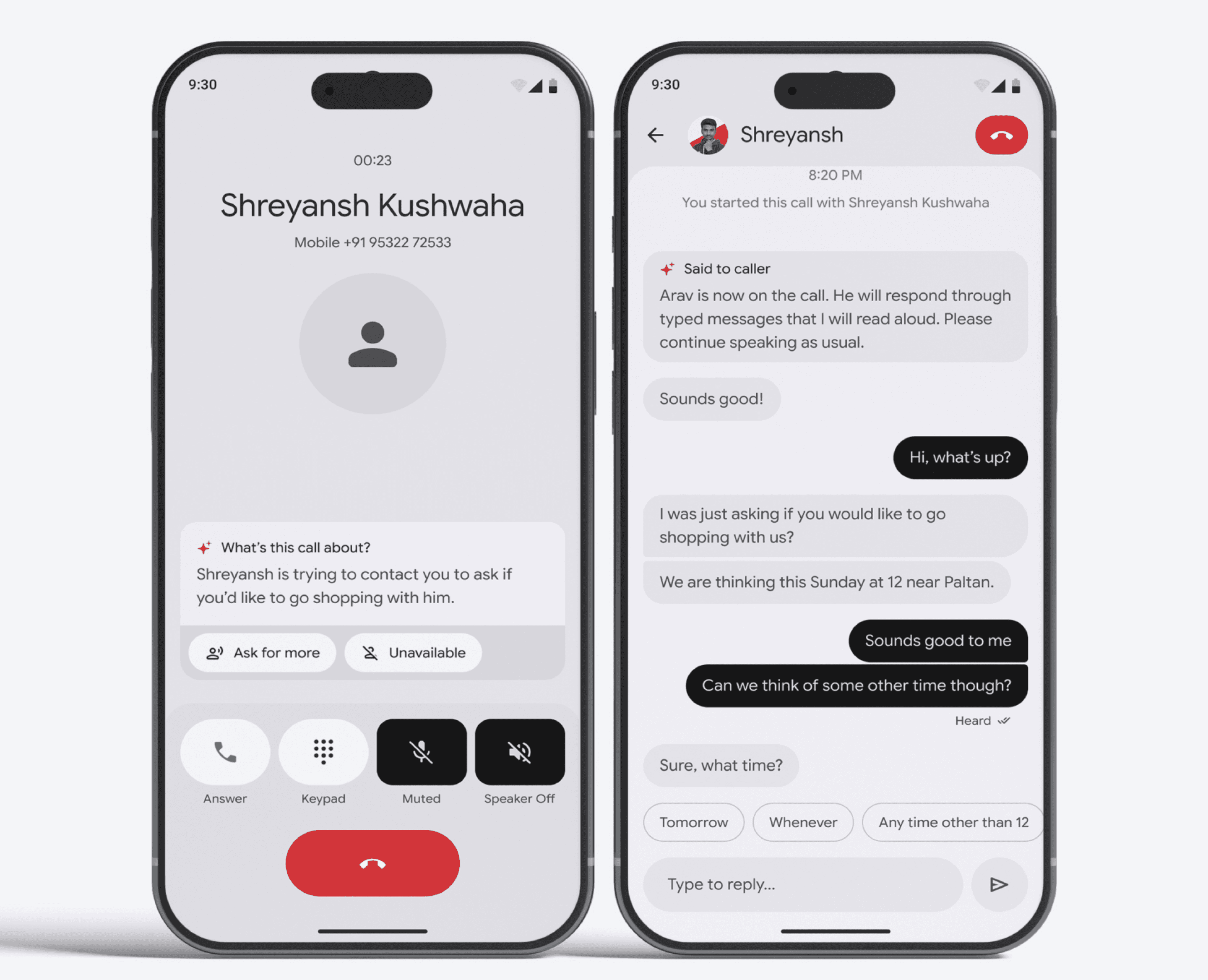
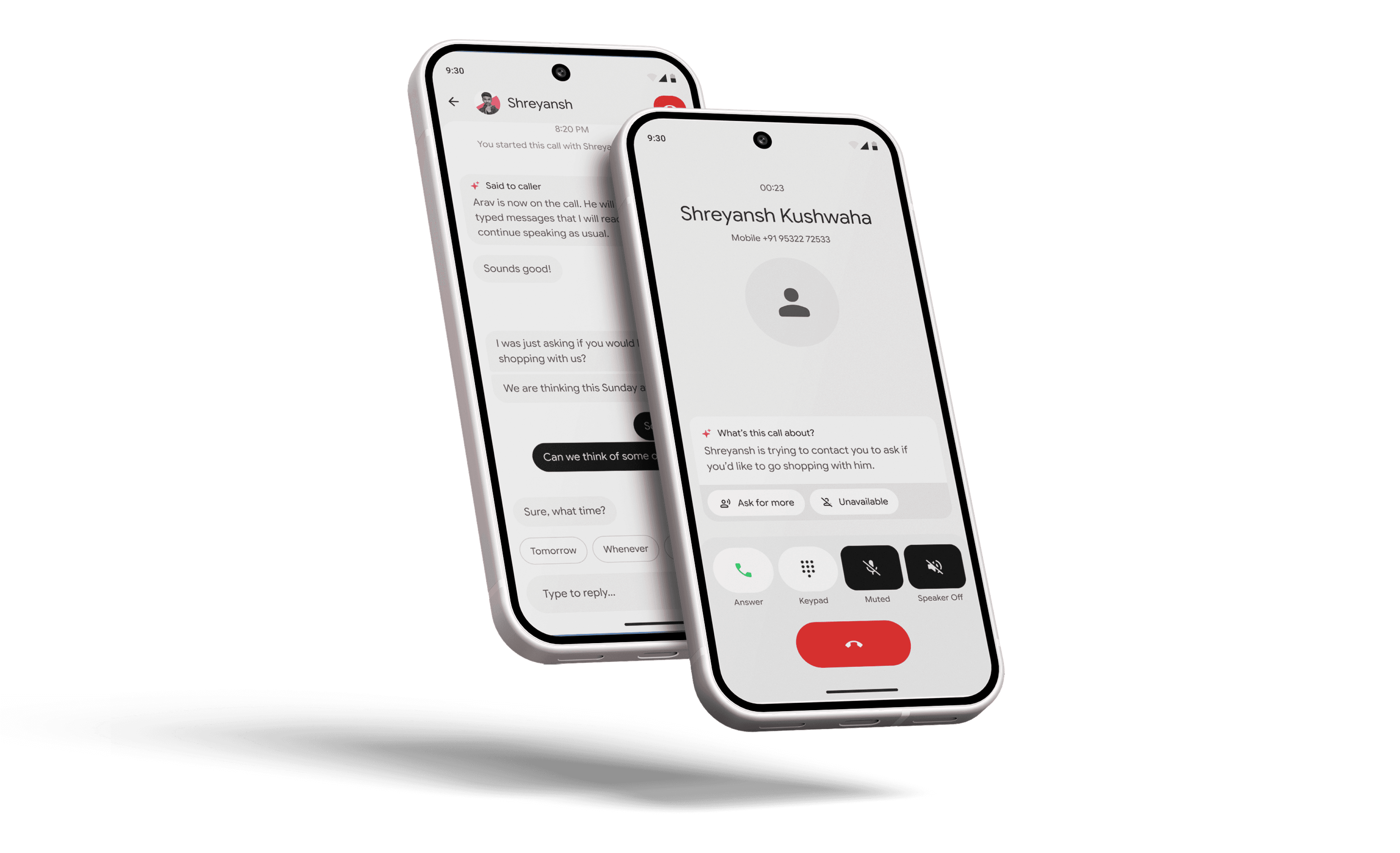
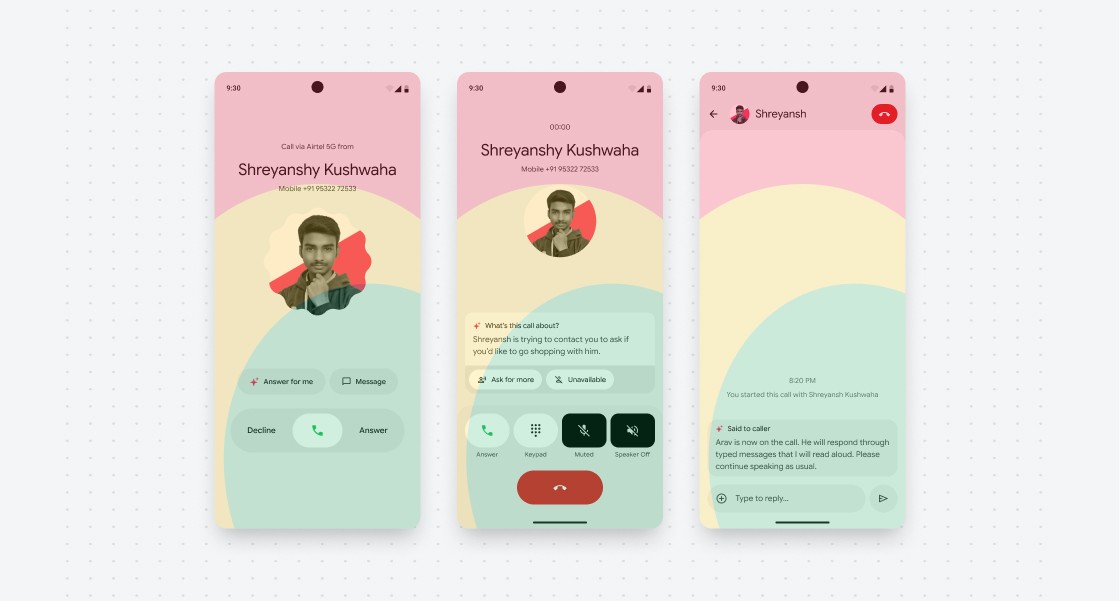
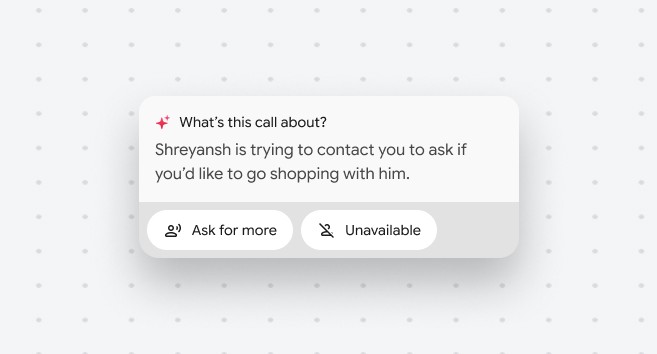
Material Design 3 Expressive was the foundation, with one change: Roboto swapped for Google Product Sans to align with Android's Accessibility Suite. From there, nine decisions were made, each traceable to something the research had specifically surfaced. Incoming call awareness through vibration patterns and torch flashes. Haptics as the primary feedback loop across every key action. AI call screening that intercepts unknown callers and surfaces their intent before the user decides whether to answer. A transition announcement that tells the caller exactly how the conversation will work, so the user never has to explain themselves.
Inside the call, speech is transcribed in real time and auto-chunked into natural units rather than one long block. Contextual reply suggestions surface based on what was just said, fetching from memory or calendar when relevant. Listening and Heard indicators close the feedback loop that audio handles automatically for everyone else. Every call state from hold, silence, to dropping audio is classified and surfaced explicitly. And when an IVR is detected, spoken options convert to tappable buttons so customer service calls become navigable.

05.
Testing it honestly
the result
Two-phase usability testing was conducted via role play across 8 participants and 8 conversation scenarios. Every call connection was successful. A NASA-TLX assessment compared the assistive system against normal calling. Normal calling scored 16.46. The assistive system scored 28.85. Higher scores clustered in physical demand and frustration, users were typing where they would normally speak. Mental demand scores were close. Users understood the system, they just needed it faster. But the right comparison is not 28.85 against 16.46. It is 28.85 against what a deaf user actually has today, which is: the call does not happen.